Google Ads invalid traffic card: what it shows, what to check

On November 12, 2026, Google started rolling out the Google Ads invalid traffic card, labeled "Invalid traffic" in the account. Keerat Sharma, VP and General Manager of Ads Privacy and Safety at Google, announced it on the Google blog.
Google says it does not charge advertisers for invalid traffic and that its systems already blocked most of it in the background. With the card, advertisers can see in their own account, for the first time, both the amount those systems saved and the credits Google issued for activity it caught after billing.
What are invalid clicks?
Invalid clicks are clicks on your ads that don't come from genuine interest in your business, according to the Google Ads Help definition. They include accidental clicks caused by poor ad placement, clicks from bots and other automated tools, and manual clicks meant to raise your costs or a publisher's earnings.
When Google's systems catch a click in real time, they remove it from your reports and you aren't billed. When they find it after an invoice is issued, Google adds a credit to a later invoice where possible.
What does the Google Ads invalid traffic card show?
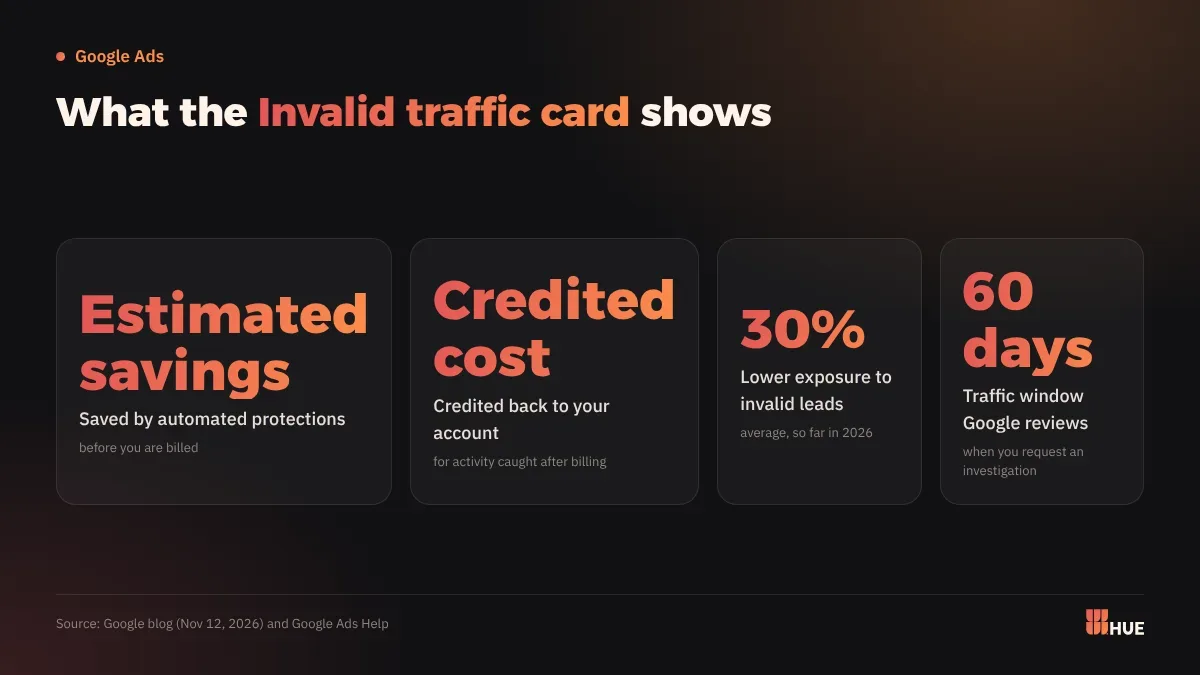
The card shows two numbers for the date range you pick, as Google's page on managing invalid traffic explains:
- Estimated savings: the estimated cost saved by automated protections, which include automated filters and proactive manual reviews.
- Credited cost: the amount credited back to you for invalid activity detected after the billing period ended.
You'll find it on the Overview page in the Campaigns menu. View details opens a fuller page with a daily graph, a breakdown by campaign and links to the invoices that carried the credits.
In the same post, Google said system upgrades have cut advertiser exposure to invalid leads by an average of 30% so far in 2026. Google did not publish how it measured that.
Is the card available in Saudi Arabia and Egypt?
Google hasn't published a country list. The help page says the card "is rolling out gradually and may not be available in your account yet," and it names no market or language.
If the card isn't on your Overview page yet, use the other tools in the account: the Invalid clicks column in the campaigns table, the "Invalid activity" line in billing, and the per-campaign credit report.
What does this mean for businesses in Saudi Arabia and Egypt?
An owner can now see how much of the budget Google blocked or refunded without asking the agency or guessing. A finance team can match credits to invoices from the same screen.
In billing, the credits sit under Summary in the Billing menu: open the "Adjustments" dropdown in the "Month" card and look for "Invalid activity." They also appear on invoices and in the account's transaction history, according to Google Ads Help.
Two kinds of accounts should look at these numbers first:
- Lead generation accounts, such as clinics, real estate and service businesses that run on contact forms. Google's page on preventing invalid leads says its filters don't stop fake leads on their own, because most traffic checks happen after the ad serves. A bot can still reach your site and submit a form, and a real person can type a wrong phone number.
- Stores running Search and Performance Max. The Invalid Activity Credit Report assigns credits to each campaign and recalculates cost per conversion after them, so you see the net cost of an order per campaign.
What should you do now?
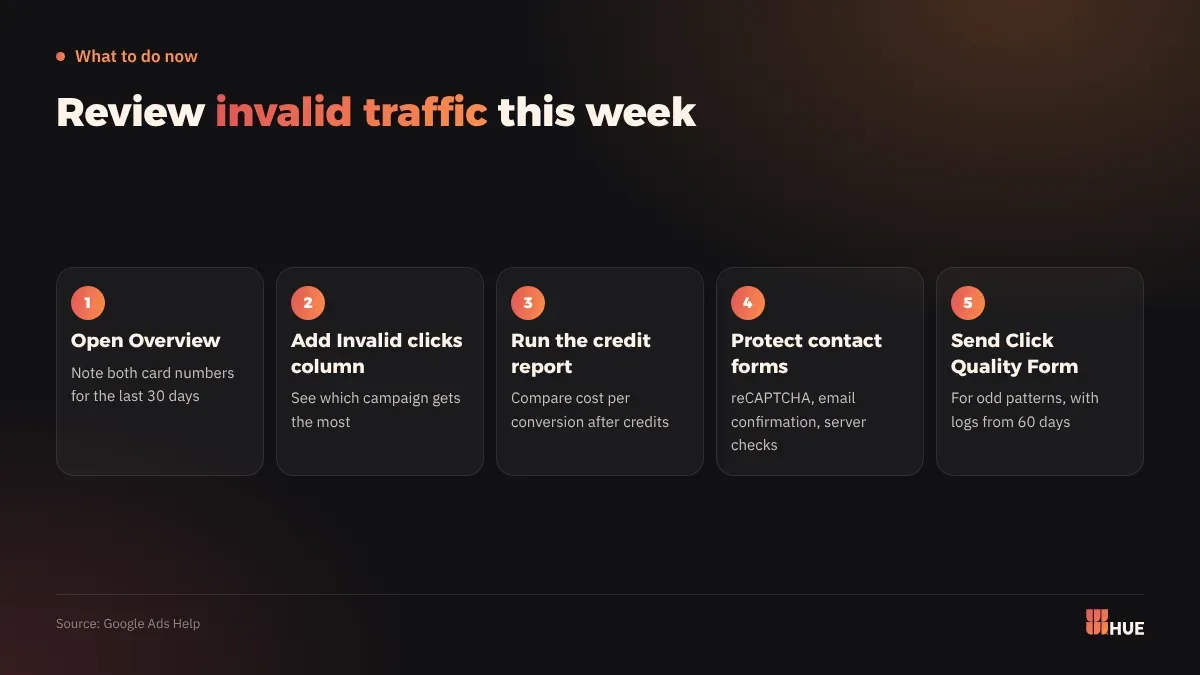
- Open the Overview page and look for the Invalid traffic card. Pick the last 30 days and write down both numbers so you can compare next month.
- Add the Invalid clicks column to your campaigns table: Columns, search for "Invalid clicks," then Apply. You'll see which campaigns attract the most invalid clicks.
- Run the credit report from Report Editor in the Campaigns menu. In the Template gallery, pick "Invalid Activity Credit Report: Search & PMax" and compare adjusted cost per conversion with your usual figure.
- Protect your contact forms: add reCAPTCHA, send a confirmation email and count the lead only after the link is clicked, and have your developer check email domains and phone formats on the server before data reaches your CRM.
- If you spot a suspicious pattern, such as a spike in clicks with no extra conversions or clicks from outside your target locations, collect your customer ID, dates, campaign names and server logs (IP addresses, devices, GCLIDs) and send them through the Click Quality Form. Google reviews traffic from the last 60 days, and a review usually takes several business days.
If Performance Max is part of your account, also read Performance Max may skip brand searches: what to check now.
Questions
Does Google charge me for invalid clicks?
No. Google says it doesn't charge for invalid traffic, and when it finds some after billing it credits a later invoice where possible.
Why don't I see the Invalid traffic card in my account?
Google is rolling the card out gradually from November 12, 2026, so your account may not have it yet. Meanwhile, you can use the Invalid clicks column and the Invalid Activity Credit Report.
How do I report suspicious clicks to Google?
Collect your customer ID, dates, campaign names and server logs, then send them through the Click Quality Form. Google reviews traffic from the last 60 days.