Performance Max may skip brand searches: what to check now
Google has added a paragraph to its Performance Max help page saying these campaigns may filter out brand searches and navigational searches, where someone types a name to reach one site. Hana Kobzová spotted the change, PPC News Feed reported it on November 2, 2026, and Search Engine Roundtable followed on November 3.
The text sits on the page How Performance Max interacts with other campaigns in your account in the Google Ads Help Center. It matters to any advertiser whose customers type the store or company name into Google and then click the ad.
What changed in Performance Max?
The change is in the official help text. The paragraph was not in the archived June 2026 version of the page. The new text says:
- Performance Max campaigns may filter out navigational or brand-specific search queries.
- Google wants those queries handled by dedicated Search campaigns, which give the advertiser more precise control.
- Google advises giving your brand Search campaign enough budget and high-quality, eligible ads.
- If you want Performance Max to reach those searches, Google suggests adding Search Themes to the campaign.
A navigational search is one where someone types a company or site name because they want to go straight there, such as your store name plus "login" or "official site". A brand search contains your brand name, sometimes with a product name or the word "offers" added. These are the searches Performance Max may now leave to your Search campaigns.
The same page also sets out which campaign gets priority. A Search campaign with a keyword that matches the query exactly, or matches it after spelling correction, takes priority over Performance Max. In every other case the campaign with the higher Ad Rank serves.
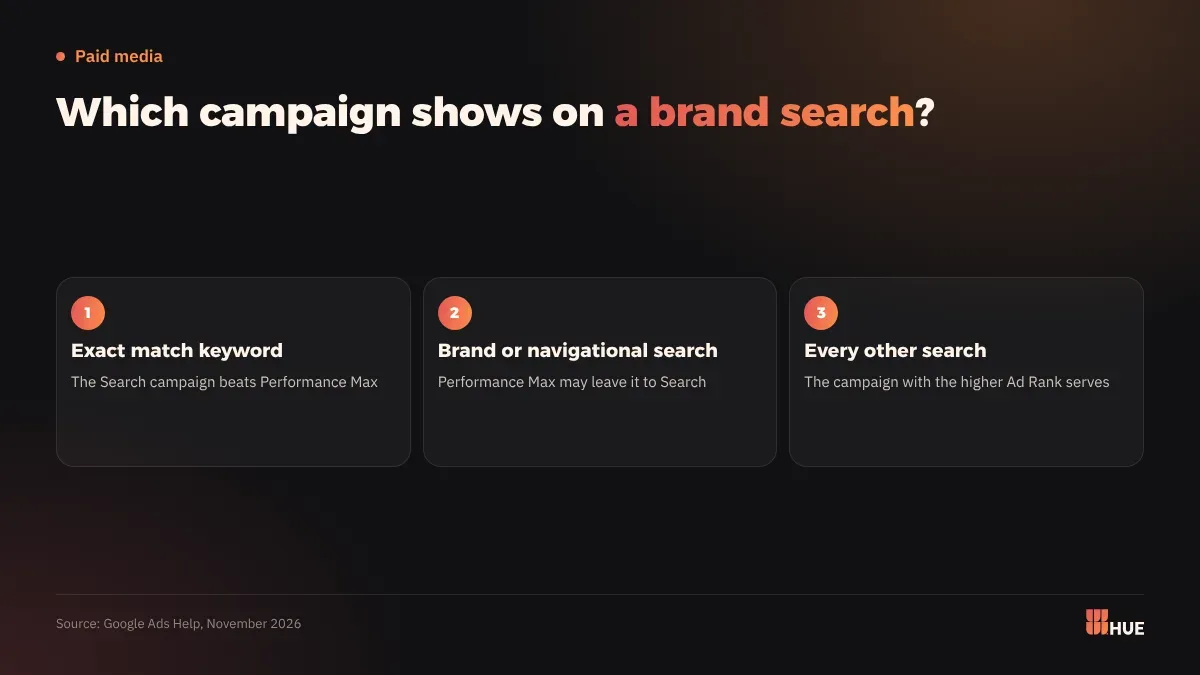
The page gives no start date and names no countries or languages. Google wrote "may", and the page does not say the filter applies to every brand search.
What does this mean for businesses in Saudi Arabia and Egypt?
The help page is written for Google Ads in general and names no market. Google has announced no date or regional detail, and nothing about Arabic searches, so watch your own account instead of waiting for a local announcement.
Two kinds of accounts should check this now:
- Accounts that run Performance Max alone. If the campaign drops searches for your name, you may show no ad when a customer types your store name. Your organic result stays, but the ad slot above it goes to another advertiser or stays empty.
- Accounts with a small brand Search budget. Searches that Performance Max used to take will move there. If that budget runs out by the afternoon, you lose those clicks for the rest of the day.
If you already added brand exclusions to Performance Max, the campaign stays out of those auctions anyway, and the new paragraph changes little in your account.
Your reports may show Performance Max conversions falling while Search conversions rise. That is traffic moving between campaigns and does not by itself mean demand dropped, so judge the two campaigns together.
A customer may type your store name in Arabic, in English, or misspelled. Each version is a search for your brand, and each needs its own keyword in the Search campaign.
What should you do now with Performance Max?
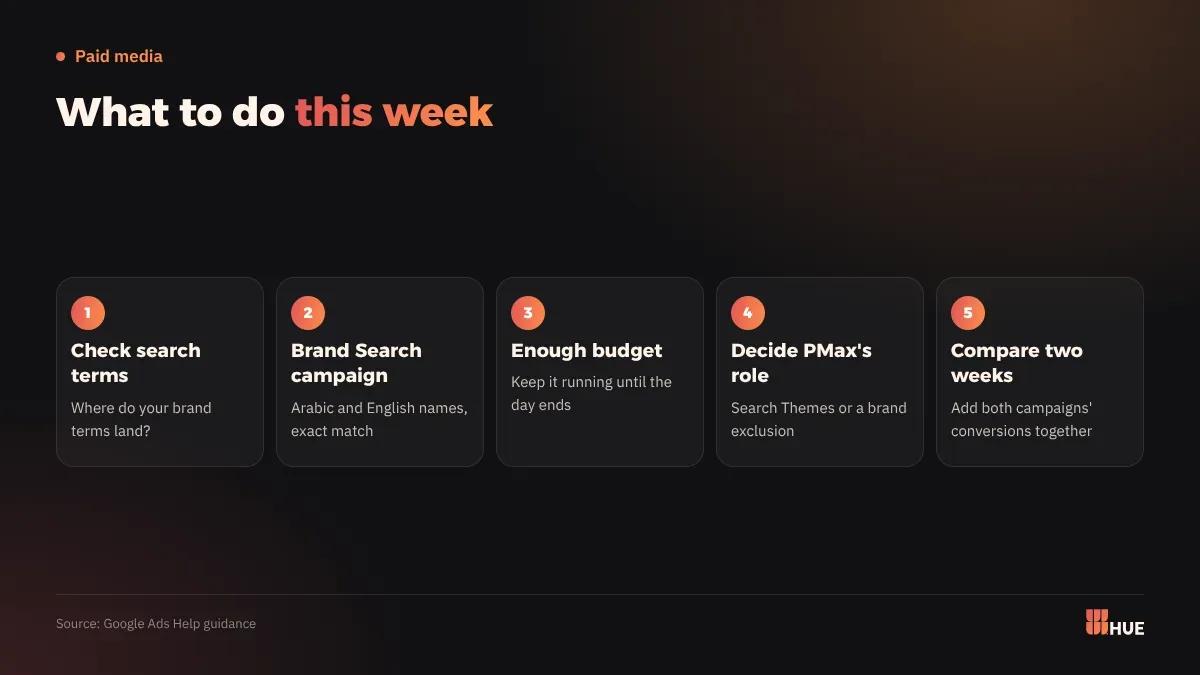
- Check the search terms in your account this week. See where your brand terms land: in Performance Max or in your Search campaign.
- Create a brand Search campaign if you have none. Add your name in Arabic, in English, and in its common misspellings as exact match keywords.
- Raise the brand campaign budget so it does not stop before the day ends, and make sure none of its ads are disapproved. If you launch a new campaign, read Smart Bidding learning: the 7-day cap and what triggers it first.
- Decide what Performance Max should do. To keep it on brand searches, add Search Themes for your brand. To keep it away, use brand exclusions: Campaigns, Settings, select the campaign, Additional settings, Brand exclusions.
- Compare the next two weeks with the two weeks before, with both campaigns' conversions added into one number.
A brand exclusion in Performance Max applies only to Search, Shopping and YouTube search inventory. The same setting has a checkbox that lets Shopping ads appear on searches that mention the excluded brand, which helps stores that want their product images to stay on searches for their own name.
Questions
Will Performance Max stop showing on searches for my brand?
It may on some searches, since Google's help page says the campaign "may" filter them out. Google gives no share or date.
Do I need a separate brand Search campaign?
It is the route Google points to for searches of your name. Google advises giving that campaign enough budget and eligible ads.
How do I keep Performance Max off my brand searches?
Use brand exclusions under the campaign's Additional settings. They apply to Search, Shopping and YouTube search inventory.