Google Business Profile offers: what's new and what to do
Google has published a new help page on Google Business Profile offers, titled "Manage offers on your Business Profile." Search Engine Roundtable spotted it on November 6, 2026. The Google page explains how discounts show up on your listing in Search, and how to get one removed if you didn't create it.
An offer can also reach your profile through an outside partner. Google says the feature is available "only in select regions and languages" and doesn't say which.
What are Google Business Profile offers?
They are discounts and promo badges shown on your business listing in Google Search. According to Google, they appear as small collapsible chips next to the "Order online" or "Reserve a table" buttons. They can also show up in AI Overviews, the AI-written summaries at the top of search results.
Google had already added offer data to its Business Profile performance metrics before this page, Search Engine Roundtable notes. The new part is one place that explains where offers come from and how to remove them.
What exactly changed?
Google put the offer types, where offers come from, and how to remove a wrong one on a single page. The main points:
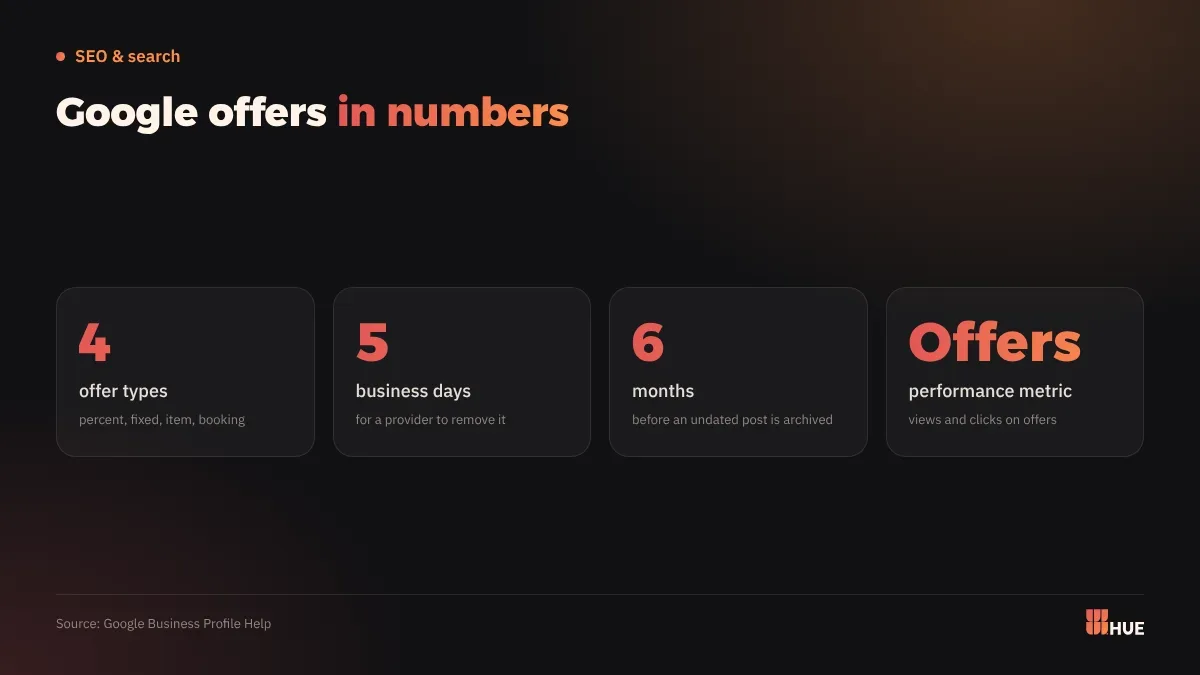
- Offer types: a percentage discount, a fixed-amount discount, an item deal such as buy-one-get-one, or a perk for dine-in or reservations.
- Where offers come from: a third-party partner you work with that sends offer data to Google, or promotions Google finds itself, from the Offer posts on your profile or from social media accounts linked to it.
- The partner rule: a provider may submit offers only for a business it has a current, direct, signed agreement with.
- Removal deadline: once you ask, the provider has 5 business days to take an unauthorized offer down.
- Measurement: the Business Profile performance page lists an Offers metric, the number of times customers viewed and clicked your offers. It appears only when it applies to your business, and only on verified profiles.
What does this mean for businesses in Saudi Arabia and Egypt?
Google hasn't said whether offers work in Saudi Arabia, Egypt or in Arabic. The page says the feature covers select regions and languages and may not reach every user, without a country list.
A related feature on Google's posts help page has a clear limit. Featured deals on mobile are available today only to single-location food and drink businesses, in English, in the US, UK, Canada, Australia and New Zealand.
Offer posts are a separate tool. You create one from your profile with a title, dates and a time, and Google adds a "View Offer" button automatically. The post shows on Google Search and Maps. Optional fields include a description, photo, video, coupon code, link, and terms and conditions. You can schedule the post ahead or set it to repeat.
How much this affects you depends on your business:
- Restaurants and cafés: offers sit next to the order and booking buttons, so this sector is closest to the feature.
- Anyone selling through delivery or booking apps: a partner may send offers on your behalf. If you stop working with them and their offer stays up, you can ask for it to be removed.
- Shops, clinics and salons: Google may pick up an offer you post on Instagram or Facebook if that account is linked to your profile. Keep the terms identical everywhere.
If you follow Google's tools for small businesses in the region, we covered which Gemini tools are live in Saudi Arabia and Egypt.
What should you do now?
Start by checking your listing, then publish your own offers from inside it:
- Look up your business in Google Search on a phone and note any discount or badge. Write down the provider's name if one is shown.
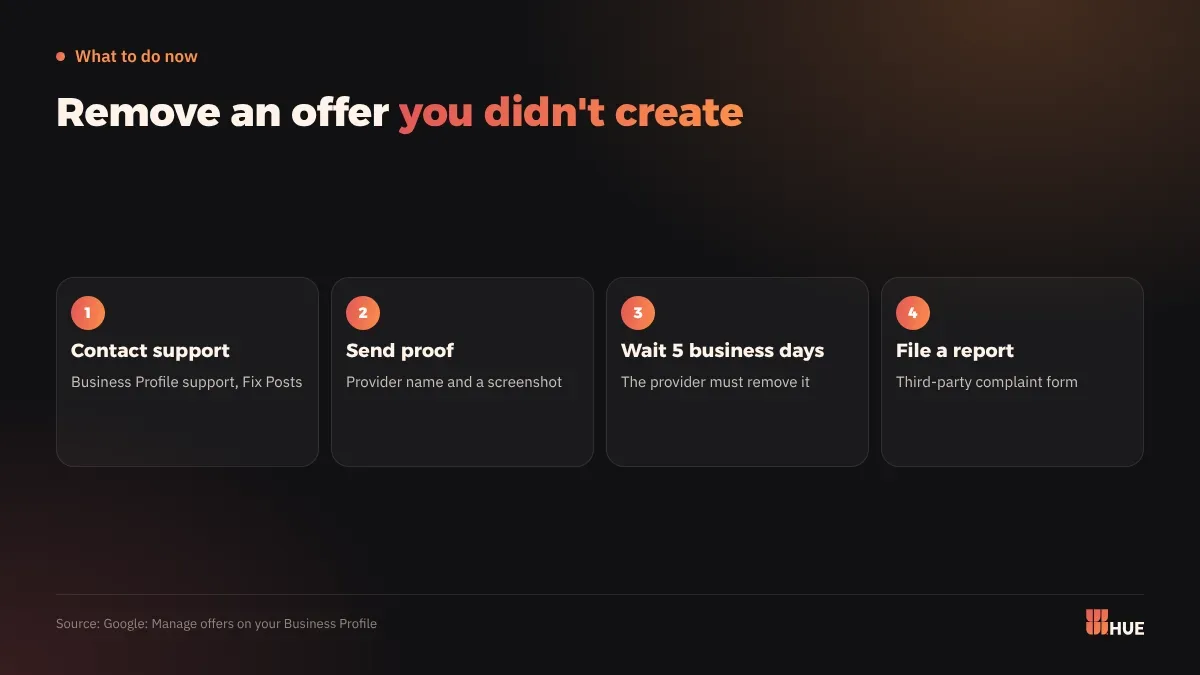
- Ask Google to remove offers you don't recognise: contact Google Business Profile support by email or chat and pick the Fix Posts category. Send the provider's name and a screenshot, and say you have no relationship with them. If the offer is still there after 5 business days, file a report through the third-party complaint form.
- Publish your own Offer post: go to Posts, then Add post, then Offer. Add the dates, coupon code, link and terms. Google archives posts after 6 months unless you set a date range.
- Keep offers consistent: the same discount and dates on your profile and on the social accounts linked to it.
- Track the Offers metric: open Insights on a verified profile and download the report monthly to see views and clicks.
Questions
Do Google Business Profile offers work in Saudi Arabia and Egypt?
Google hasn't said. Its help page says the feature is available only in select regions and languages, with no country list.
How do I remove an offer on my profile that I didn't create?
Contact Google Business Profile support, choose Fix Posts, and send the provider's name and a screenshot. The provider has 5 business days; after that, file a third-party complaint.
Can my offers appear in AI Overviews?
Yes. Google says offers can sometimes appear in AI Overviews, as well as on your listing next to the order and booking buttons.