Gemini small business tools: what's live in Saudi and Egypt?
Google rolled out new Gemini small business tools on October 20, 2026, according to its announcement on the Google blog. The update brings a business landing page, ready-made marketing and finance skills, and connections to apps such as Google Business Profile, Google Ads, Shopify and Canva. Google says the rollout starts "in the coming days globally" for all Gemini app users.
The tools live inside the regular Gemini app, with no separate product to install. They put three everyday jobs in one place: making images in your brand's style, reading your financial records, and checking customer data from the apps you connect.
What exactly changed in Gemini?
Google lists five additions:
- Business landing page: one hub for building the brand, analysing finances and reviewing customer insights.
- Brand style: upload your website, brand kit, fonts or colour palette, and Gemini keeps them for future images. It runs on Google's image model Nano Banana 2.1.
- Financial insights: Gemini turns spreadsheets, receipts and purchase records into charts and interactive models.
- Pre-built skills for marketing and finance.
- Connected apps: Google Business Profile, Google Ads and Google Workspace on Google's side, plus Adobe, Canva, Dropbox, Shopify, Wix, Zoho and Xero.
Who are the Gemini small business tools for?
They are aimed at small business owners on the standard Gemini app. Google says "tens of millions" of them already use Gemini. Larger companies are pointed to Gemini for your business, which adds central admin controls, data governance and security settings.
Google also quotes Bleu Clémentine, a shop in France, as saving two to three hours a day with the tools. That is the owner's own estimate as reported in the announcement; Google does not say how it was measured.
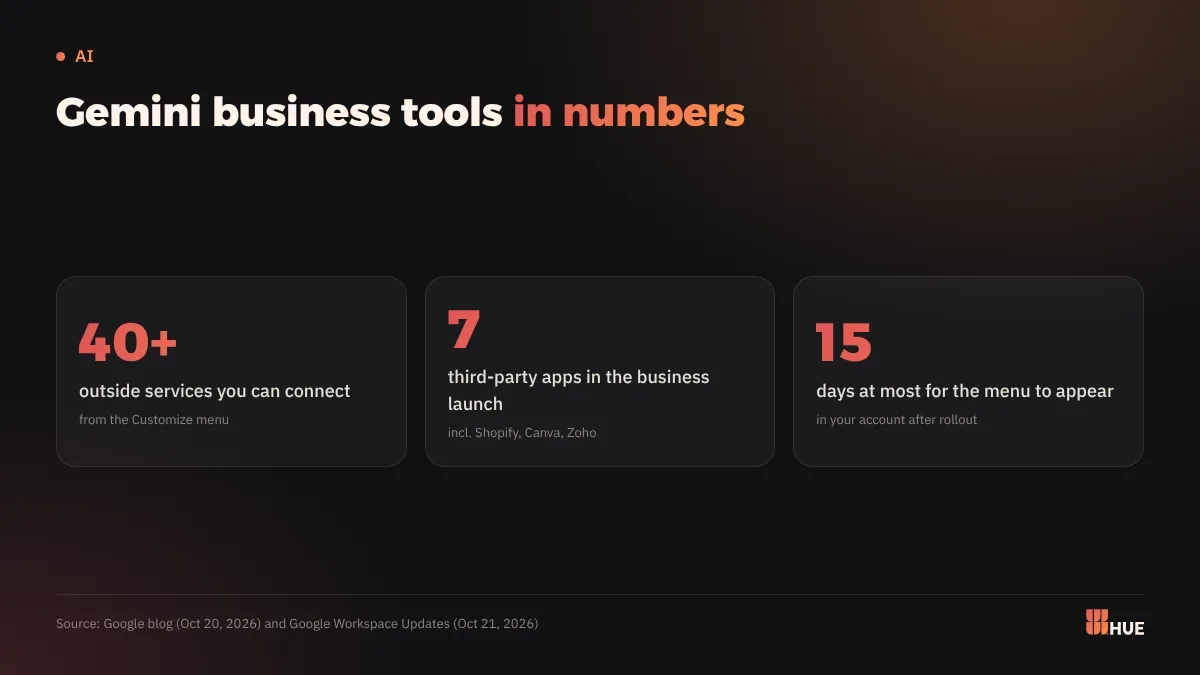
A day later, the Google Workspace Updates blog described a new Customize menu. It holds skills and connected apps on one screen and can link more than 40 outside services alongside Google's own apps. The menu is coming to web, mobile and the Gemini desktop app for Windows and macOS, and it can take up to 15 days to appear in your account.
What does this mean for businesses in Saudi Arabia and Egypt?
Some of the tools will probably reach you before others. The business landing page is rolling out globally, but the Workspace post says most connected apps are available only in English in the US for now. A few also work in other English-speaking regions, Brazil and India. Neither announcement mentions Saudi Arabia, Egypt or Arabic.
Google's Gemini help page on connected apps says the same thing in general terms: availability depends on location, language and device. You may see brand style in your account and still find no Shopify or Google Ads connection.
Brand style and financial insights work on files you upload yourself. That makes them the most usable part for a shop in Riyadh or an office in Cairo once they show up. For the app connections, wait for an announcement that names your market before you plan around them.
Google's example is Burger & Butcher, a US business that connects Gemini to its Google Business Profile to track local search and Maps performance and to write weekend updates tied to neighbourhood events. If that connection reaches the region, Gemini will read whatever your Google profile says. Our guide to Google Business Profile for local search covers how to get it in shape.
Be careful with data. Every app you connect gives Gemini access to its content. Google says you can review permissions or disconnect any app at any time from the Customize menu. If you switch off Keep Activity, connected apps stop working on the web and on iOS.
What should you do now?
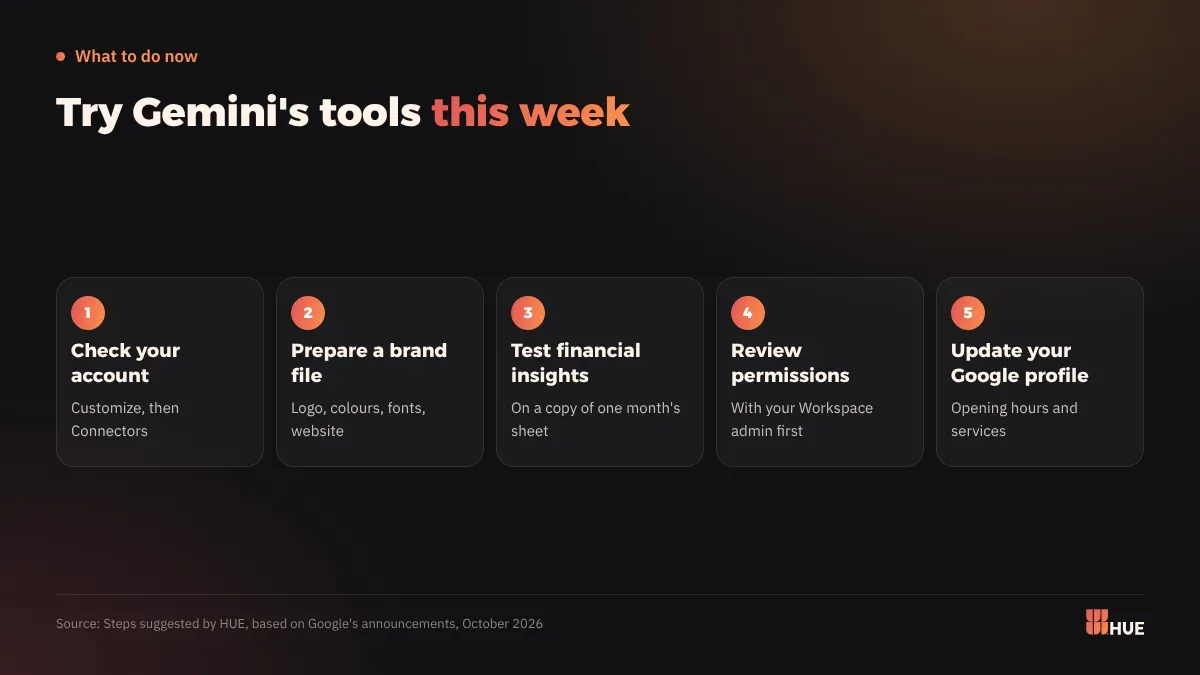
- Open Gemini on the web, choose Customize in the sidebar, then Connectors. That shows what your account can use today.
- Put together a short brand file: logo, colour codes, font names and your website link. Upload it to brand style when the feature appears, ask for one social post image, and compare it with your usual design.
- Test financial insights on a copy of one month's sales sheet. Check every number in the chart against the original before you show it to anyone.
- If your company runs on Google Workspace, ask your admin to review which connected apps are allowed (Admin console, Apps, Additional Google services, Gemini) before staff link their accounts.
- Update your Google Business Profile this week, starting with opening hours and your list of services. It is the first app Google names in its list of connections.
Questions
Are Gemini small business tools available in Saudi Arabia and Egypt?
Google says the rollout is global for all Gemini app users. Most connected apps are English-only in the US for now, and the announcement does not name Saudi Arabia or Egypt.
Do Gemini's new business features support Arabic?
Google did not mention Arabic in its October 20 and 21, 2026 announcements. Its help page says connected app availability varies by location, language and device.
How do I disconnect an app from Gemini?
Open Gemini on the web, choose Customize, then Connectors. Click More options next to the app and choose Disconnect.