Field Team Tracking Software in Egypt 2026: Site Visits and Installation on Mobile
Much of the work of Egyptian factories and workshops happens outside the office: a site visit in a Fifth Settlement flat, a kitchen fitted in a new city, an AC service in an office. Anything that happens in the field and never reaches the system turns into a phone call, a lost photo in a chat, or a forgotten appointment. This guide shows how to run site-visit, production and installation teams on mobile so everyone knows their tasks and management knows what's happening without asking.
Illustrative example: a site technician starts the day with three visits. The usual way, the addresses arrive in a WhatsApp group with the whole team, measurements go into a notebook, and photos of the notebook reach the office in the evening. With the system, the technician opens their phone, sees only their three visits, logs measurements on the order itself, and management sees them as soon as they're saved and starts the quote.
Why has field-team tracking become a priority for Egyptian companies?
Because field work grows with urban expansion, and site-visit and installation errors are the most expensive. One wrong measurement can mean remaking a whole piece; a forgotten installation appointment can mean an angry customer and delayed collection.
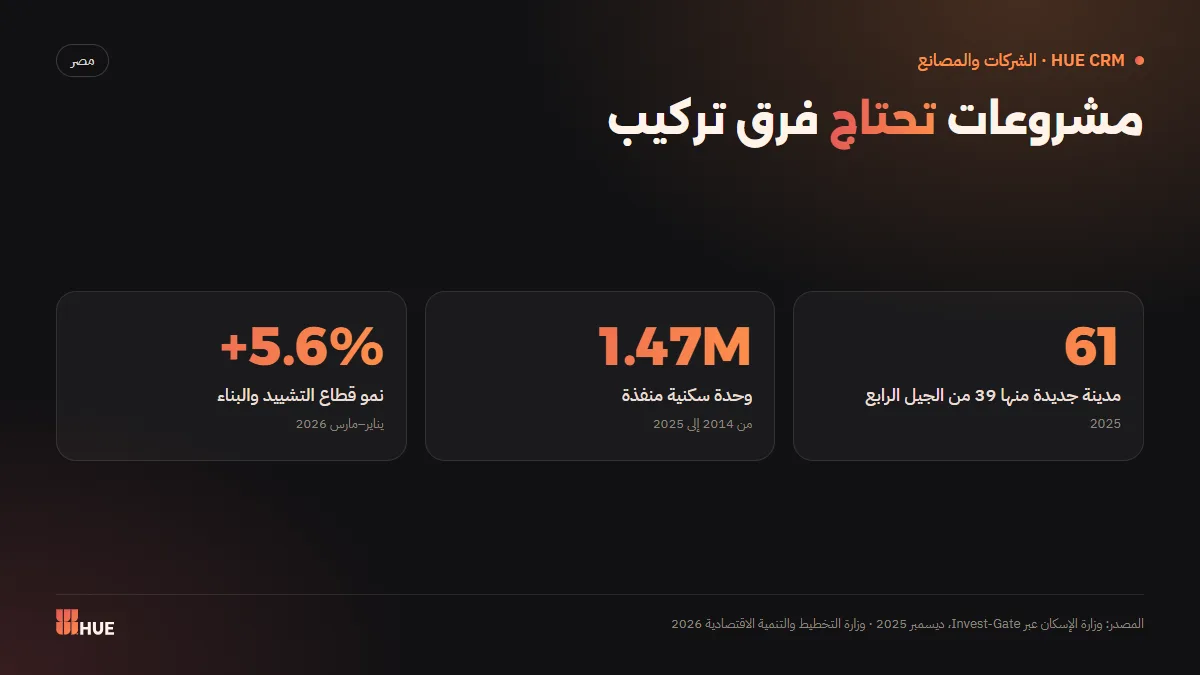
Official numbers show how many projects need site and installation teams. According to the Ministry of Housing, Egypt has 61 new cities, 39 of them fourth-generation, and 1,469,200 housing units were completed between 2014 and 2025. Construction grew 5.6% in Q3 of FY2025/2026 according to the Ministry of Planning and Economic Development's preliminary results. The first phase of the New Administrative Capital alone covers about 40,000 feddans, according to the head of the capital's developer (ACUD) in 2024.
Every new unit means a kitchen, doors, aluminium windows, marble, AC, cameras and curtains that need measuring, making and fitting.
Why aren't WhatsApp groups enough to manage the team?
Because they're built for conversation, not task management. Customer requests get mixed with photos and notes, everyone sees every customer's data, and nothing shows who finished which job. As orders grow, the group becomes an archive no one can search.
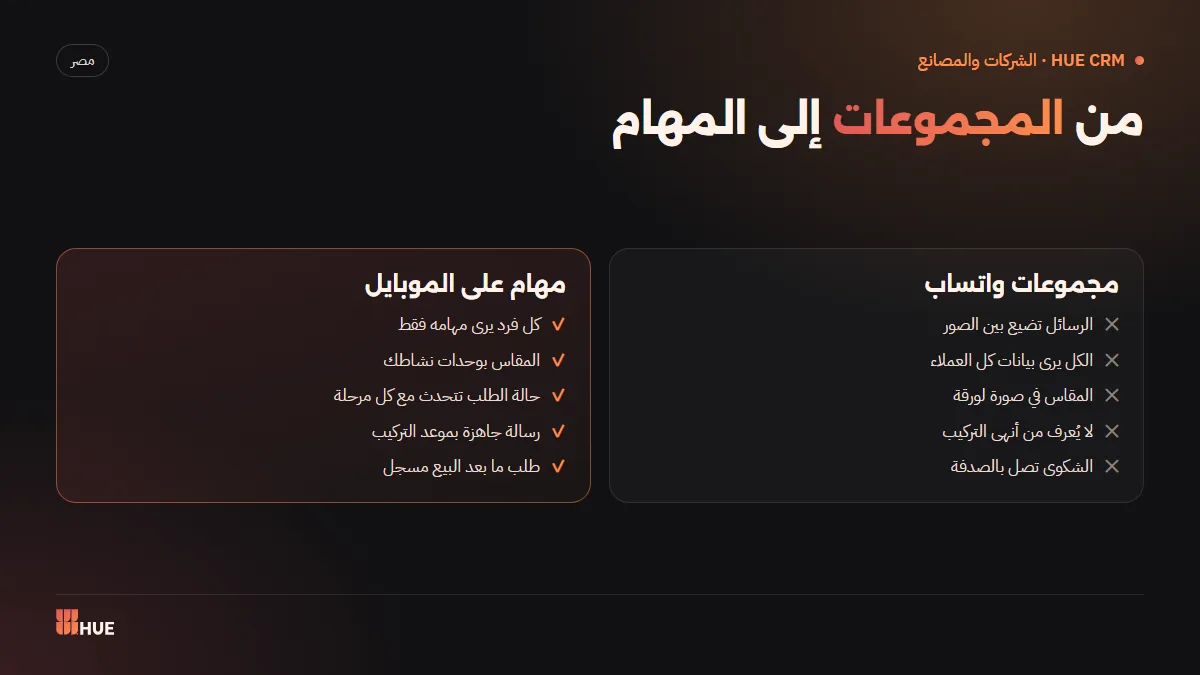
That doesn't mean dropping WhatsApp — it's Egypt's first channel, used by 67% of small businesses according to GoDaddy's survey (2023). WhatsApp should stay the channel for organised customer messages, while task management moves into the system.
What does each field user see?
Each field user sees only their own tasks on mobile: the site technician sees their visits, the factory worker sees the production orders assigned to them, and installers see installation appointments. Nobody sees other customers' data, and office users work across the system by their permissions.
| Role | What they see on mobile | What they record | What management learns |
|---|---|---|---|
| Site technician | Only their assigned visits | Measurements in the activity's units, notes | The visit is done and the quote can be prepared |
| Factory or workshop worker | Their production orders | Stage progress and completion | Where every order stands in production |
| Installation team | Appointments and addresses | Installation done and handed over | Which orders are delivered and which are late |
| Office user | The whole system, by permission | Customers, quotes, payments | The full picture and reports |
How are site visits and measurements recorded accurately?
Measurements go on the order itself, in your activity's unit, not in a notebook or a photo. When the owner picks the activity, the system shows the right units and measurements, so the aluminium technician logs linear or square metres and the AC technician logs pieces or capacity, with no guesswork.
| Activity | Example units | What happens after the visit |
|---|---|---|
| Kitchens | Linear metre, piece | Quote, production order, installation |
| Aluminium and uPVC | Square metre, linear metre | Profile fabrication, then installation |
| Marble | Square metre | Cutting and finishing, then installation |
| Curtains | Linear metre | Tailoring, then installation |
| Solar | kW, piece | Supply, then installation |
| Landscaping | Square metre | Execution, then periodic maintenance |
There are 26 units tied to the ETA e-invoice unit codes, and section names and order statuses change automatically with your activity, out of 24.
How does an installation job move from assignment to handover?
It follows a clear path once the customer approves the quote: production, scheduling, assignment to the installation team, completion and handover, then after-sales and collection. At every step the order status updates for management without a call.
- Approval: the customer approves the quote from the link and the order becomes a production order, as explained in Quoting and online approval.
- Production: the factory worker follows their tasks, under your section names, until the piece is done.
- Scheduling: the installation date is set and the customer gets a ready WhatsApp message with it.
- Assignment: the job appears only for the responsible installation team on mobile.
- Handover: the team records the installation as done and the order status updates.
- After-sales and collection: any note or service request is logged, and payments and balances are tracked.
How does the customer learn the appointment without calling?
Through ready WhatsApp messages for every stage, whose wording follows your activity: "installation appointment" for a kitchen or aluminium factory, "delivery appointment" for a building-materials trader. They go out in English automatically for foreign customers, so the customer knows what's happening without phoning to ask.
You can link your company number to Meta's official WhatsApp Business platform as an optional one-time service (EGP 2,000), so stage messages come from your number in your company's name.
How does management follow team performance?
Through each order's live status and reports on sales, collections, lead sources and team performance. Instead of asking "was it installed?", the manager sees delivered and late orders, and which technicians are overloaded or free.
Companies with more than one branch can give each branch its own team and customers, with combined reports for management; the Factory plan goes up to 10 branches.
It helps to hold a short morning meeting that starts from the system's screen rather than from questions: which site visits are scheduled today? Which orders have left production and await an installation date? Which installations are late, and why? That meeting takes minutes when the data is updated from the field, and an hour of phone calls when it isn't.
What are the costliest site-visit and installation mistakes?
The costliest field mistakes happen at hand-offs between people: technician to office, office to factory, factory to installers. Every hand-off that relies on memory or a group message is a chance to lose information.
- A measurement passed on by word of mouth: the technician writes it in a notebook, an office employee copies it into a file, the factory reads it — three chances to get one number wrong.
- Mixed units: one technician logs centimetres, another metres, and production misreads the size.
- An installation date not confirmed with the customer: the team arrives to an empty home and a working day is lost.
- Unclear assignment: each team assumes the other has the job, and installation slips.
- Handover not recorded: installation ends but accounts don't know, so the final payment request is late.
- A lost after-sales note: the customer complains to the technician verbally and it never reaches whoever can fix it.
The system tackles these by making the order itself the home of all information: the measurement is logged on it in your activity's unit, the appointment reaches the customer in a message, the job is assigned to a specific team, and completion updates the status at once.
How do you roll it out to a field team without pushback?
Start simple: a clear task on mobile and a button to complete it. Formal training is rare in Egyptian firms — the World Bank Enterprise Survey (2025/2026) found only 8% of firms offer formal training — so the interface must make sense on first use.
- Start with one team, say site visits, and add installation a week later.
- Make the order in the system the only source of addresses and appointments, and stop posting them in groups.
- Explain that each person sees only their tasks, which protects customer data.
- At the end of week one, review with the team which names or statuses need simplifying.
- If you want help at the start, the optional onboarding service (EGP 1,000, free with yearly) covers account setup, importing customers and products, and team training.
Conclusion
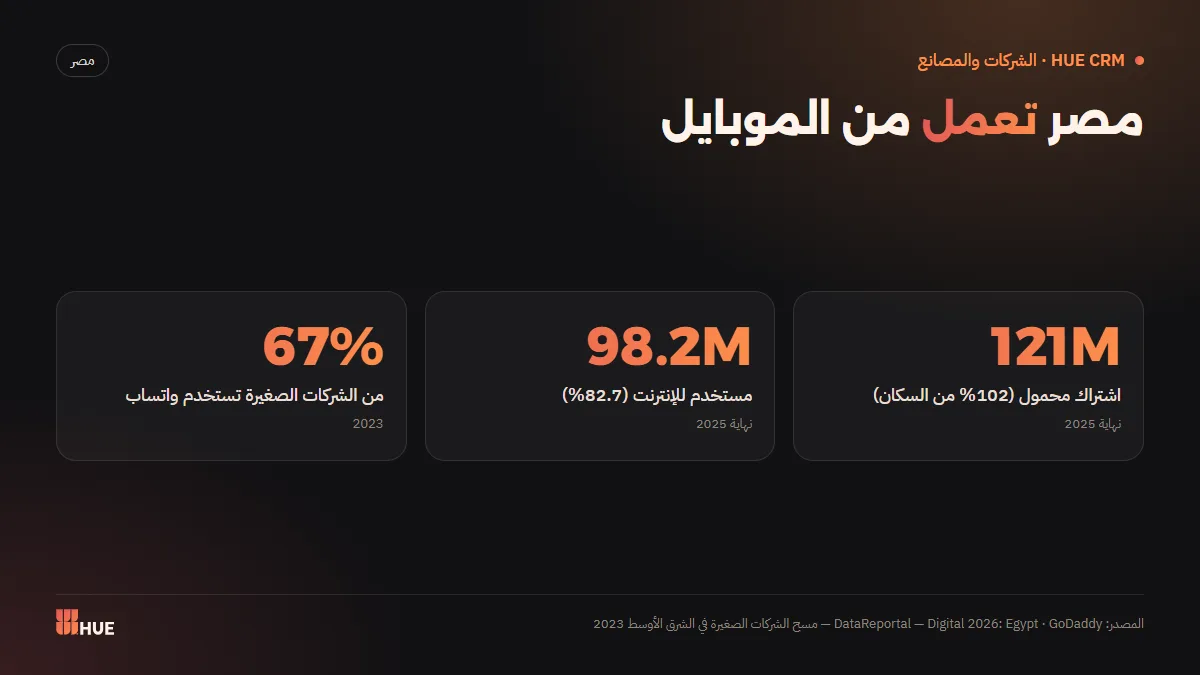
Field work is where customer trust is won or lost: an accurate measurement, a clear appointment, an on-time installation. In a market that runs on phones — 121 million mobile connections (102% of the population) and 98.2 million internet users at the end of 2025, per DataReportal — mobile is the natural tool to run the team. See the full cycle in the CRM guide for factories and workshops, and how handover links to collection in Collections and cash flow.
Sources
- Invest-Gate — Market watch: new cities and completed housing units (Ministry of Housing), December 2025
- Zawya — Preliminary Q3 FY2025/26 growth results (Ministry of Planning), 2026
- Gulf News — Egypt plans expansion of the new capital (Reuters), 2024
- DataReportal — Digital 2026: Egypt, 2026
- Campaign Middle East — GoDaddy MENA small business survey, 2023
- EnterpriseAM — World Bank Enterprise Survey Egypt 2025/2026 findings, 2026
Questions
Can a technician see other customers' data?
No. Each field user — site technician, factory worker or installer — sees only their own tasks on mobile, without access to other customers' data.
Can measurements be logged at the customer's site?
Yes. The site technician logs measurements on the order itself in your activity's units, and management sees them as soon as they're saved.
Does it work for maintenance contracts and after-sales?
Yes. Customer notes and service requests after handover are logged within the order cycle, and maintenance is one of the activities you can choose.
How do I know an installation is done?
The installation team marks the job complete on mobile, and the order status updates for management without a phone call.
Does the customer get a WhatsApp message with the appointment?
Yes. The system sends ready WhatsApp messages for each stage that follow your activity, such as "installation appointment" or "delivery appointment", and in English for foreign customers.
Does it suit a company with several branches?
Yes. Each branch has its own team and customers with combined reports for management, and the Factory plan goes up to 10 branches.